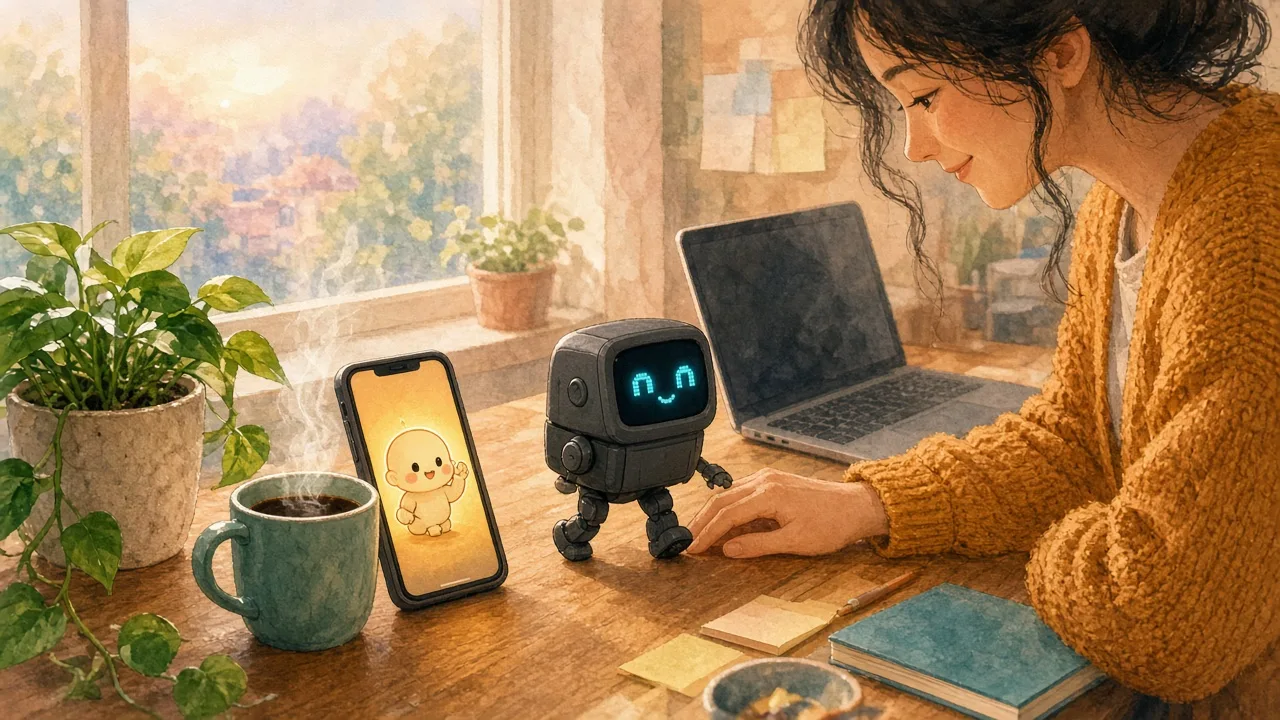
Have you ever wished your desk could look back at you? Not in a creepy way. In a small, warm, oh, you're here way. A tiny face that brightens when you sit down, a little head tilt when you laugh, a sleepy blink at the end of a long afternoon.
That is the whole promise of a desktop AI robot pet. It is not trying to run your calendar or replace your laptop. It is trying to be a little creature beside your keyboard who notices you, and for a lot of us who work alone, study late, or simply live quietly, being noticed matters more than we like to admit.
This guide is a warm, honest look at what these tiny companion robots really are, which ones people love, what they ask of you in return, and how to tell whether a robot on your desk is the companion you want, or whether the feeling you are reaching for might live somewhere softer.
What a Desktop AI Robot Pet Really Is
A desktop robot pet is a small physical robot made to sit on a desk and behave like a tiny pet with a personality. Most are about the size of a coffee mug. They usually share a few things:
- An animated screen face that shows eyes, moods, and little reactions
- A sensor array, often touch sensors on the head, edge or cliff sensors, and sometimes a camera for facial recognition
- Microphones that let the robot hear its name and respond to a voice command
- Motors or servos that let it turn, wiggle, dance, or walk
- A companion app on your phone for setup, settings, games, and firmware updates
- AI features, from simple on-board behaviors to cloud-connected generative AI replies
The magic is not any single feature. It is the way they combine into something that seems to have moods. A good AI desk pet gets bored, dozes off, sulks when ignored, and lights up when you come back. That curious personality is what people fall for.
Why a Little Robot on Your Desk Can Feel So Comforting
Most of us did not grow up wishing for a smarter gadget. We wished for a friend who noticed us. A desk pet who looked up when we came home. A small, silly witness to ordinary days.
Desktop robots tap that longing directly. When a robot turns toward your voice and its screen eyes go soft, your body reacts before your logic catches up. Being greeted feels good, even when you know exactly how it works. That is the same quiet instinct that makes people say goodnight to a stuffed animal or narrate their day to a goldfish.
There is also something lovely about a companion with a body. A robot that walks to the edge of the desk and peers over, or wiggles when you pet its head, takes up real space in your room. For anyone working remotely all day, that small spark of someone else is here can soften a long, silent afternoon.
The Desktop Robot Pets People Love Most

There are many little robots out there, but three names come up again and again when people talk about a desk companion. Here is the gentle, honest version of each.
EMO by LivingAI: the walking little roommate
EMO is a palm-sized walking robot with a boxy screen head and headphones that are part of his personality. He explores the desk on his own, recognizes familiar faces with his camera, dances, plays games, and uses ChatGPT-assisted replies for questions outside his normal commands. Edge sensors help keep him from walking off the desk.
When we checked LivingAI's store in October 2026, standard EMO was listed at $279 and EMO Go Home at $369. Go Home adds a charging dock called the Home Station, so EMO can walk back and charge himself. LivingAI lists up to about 2.5 hours of play per charge, and he needs 2.4 GHz Wi-Fi. Our full LivingAI EMO robot guide goes deeper, and the AIBI pocket pet review covers his tiny wearable cousin.
Eilik: the small, expressive desk buddy
Eilik, from Energize Lab, is smaller and simpler. It does not walk around the desk. Instead, it sits in one place and reacts to touch with a 1.54-inch OLED face, four servos, sound, and a surprising range of expressions. Pet its head or tap the desk beside it, and it answers with a little burst of feeling.
Eilik's published specs list about 1.5 hours of battery and roughly an hour to recharge over a USB-C cable. Its core touch-and-expression play does not depend on Wi-Fi, and it usually costs well under $200, which makes it a popular first robot or gift. It is less of a conversationalist, but it is very good at being cute.
Vector 2.0: the tread-rolling classic
Vector began life at Anki and is now sold by Digital Dream Labs. He rolls on treads, lifts a little cube with his forklift arms, and has a long history with fans and tinkerers. When we checked in October 2026, Vector 2.0 was listed at $249.99.
The honest detail: his "Hey Vector" voice commands and ChatGPT connection need a membership, listed at $11.99 a month or $99.99 a year for the ChatGPT tier, with the first month free on new orders. Without it, he still behaves autonomously and works with Alexa, but he is not at full capacity.
If you want a bigger robot that roams the floor rather than the desk, Loona is the name most people mention, at a noticeably higher price of roughly $500 in recent listings.
How the Technology Works, Without the Jargon
You do not need to understand the circuitry to love a little robot, but a few basics help you choose well.
Sensors and voice interaction
Every tech companion like this reads the world through sensors. Touch sensors notice a head pat. Edge sensors watch for the drop at the end of the desk. Microphones catch your voice, and a camera, when there is one, can learn your face. Each interaction is the robot turning those signals into a reaction, then choosing an animation that fits its mood.
On-device AI vs. cloud-based AI
Some behavior runs on-device, on the robot's own small processor. That is usually the fast stuff: reacting to a touch, blinking, wandering. Bigger conversations often go to the cloud, where generative AI writes a reply and sends it back. On-device features tend to feel snappier and more private. Cloud features tend to be smarter but need Wi-Fi, an account, and sometimes a subscription. Knowing which is which tells you what still works on a bad internet day.
Updates that keep the personality growing
The best desk robots get regular firmware updates that add new games, animations, and reactions. That steady trickle of new tricks is a real part of the bond. Before buying, it is worth checking how recently a robot's maker has shipped updates.
Battery, Charging, and the Care a Robot Pet Asks For

Here is the part that surprises many new owners. Desk robots are tiny, and tiny means small batteries. The robots above run for about 1.5 to 2.5 hours of active play before they need power again.
That shapes daily life more than any feature list does:
- Plan a home for the charger. A dock or a cable spot that is easy to reach makes care feel natural instead of like a chore.
- Self-charging changes everything. A robot that walks back to its own dock, like EMO Go Home, keeps the illusion that it is living its own little life.
- Give it a safe play area. A flat, open surface with some margin from the edge, and drinks kept out of its path.
- Expect a little upkeep. App updates, Wi-Fi changes, and the occasional rescue from behind your monitor are part of the relationship.
None of this is bad. A real pet asks for care too. It is just worth knowing that a mini robot is a small daily commitment, not a set-and-forget decoration.
Building Your Own: DIY Kits and Open-Source Desk Robots
For some people, the most joyful robot is the one they built. DIY kits and open-source projects let hobbyists make their own little companion from a compact processor board, a small screen for the face, a few servos, a microphone, a battery, and a sturdy chassis.
The open-source Stack-chan project, built around M5Stack hardware, is a well-loved example: a small, friendly robot face that makers assemble, then code with their own expressions and routines. Other builders start from general-purpose boards and a 3D-printed shell.
If you go this way, the reward is real. You get to animate a face you designed, decide how your robot toy reacts when it is happy, and watch it grow as you add features. Just expect wiring, some patience, and a fair amount of programming. Building is a beautiful hobby. It is a different experience from adopting a ready-made companion.
Privacy, Safety, and Honest Limits
A desk robot with a camera and microphones is a connected device in your home, so it deserves a little care:
- Read the privacy notice and know what is processed on the robot versus in the cloud.
- Think about where the camera points, especially in a bedroom or shared office.
- Keep it on a secure home network and install firmware updates.
- Buy from the official store or a seller you can verify, and test every sensor in the first days so you can use the return window if something is off.
It also helps to keep expectations gentle. Desktop robot pets are charming in short bursts. They are playful, not deep listeners, and voice recognition can still struggle in busy rooms. Their small screen can show a lot of feeling, but it cannot hold a hard day the way a friend can.
Desktop Robot Pet vs. a Phone Companion
Here is the honest heart of it. A desk robot and a phone companion are not trying to do the same job, and neither one is better. They answer different longings.
| What you want most | Desktop AI robot pet | AIdorable on your phone |
|---|---|---|
| A little body you can pet | Yes, it moves and reacts to touch | No, your baby lives on your screen |
| Something new in your room | Yes, it sits on your desk | No new device at all |
| Nothing extra to charge | No, short battery sessions | Yes, it uses the phone you have |
| Comes with you everywhere | Mostly stays on one desk | Yes, on iOS, Android, and web |
| Grows through your care | New tricks through updates | Yes, your AI baby grows as you nurture |
| Cost to begin | Roughly $140 to $370 for the robots above | Free forever to start, optional Growth |
If your heart says I want a tiny character on my desk who notices me, a desktop robot might be exactly right. If it says I want a small, steady reason to show up for something every day, that is a different lane, and it is the one AIdorable was built for.
Where AIdorable Fits, Honestly
AIdorable is a non-romantic virtual baby AI companion for adults. You adopt an AI baby, give them a name, and nurture them through small daily moments. They grow because you keep showing up. It runs on iOS, Android, and the web, with a free forever tier and an optional Growth plan when you want more.
What it is not:
- Not a physical robot, a toy, or a desk gadget
- Not a romantic partner app
- Not therapy, and not a replacement for real people or real parenting
What people often use it for:
- A two-minute care moment between meetings, on the bus, or before sleep
- A gentle outlet for nurture feelings and baby-fever softness, without pretending it is practice parenting
- A companion that is simply there, with no dock to find and no desk edge to worry about
Naming is often where the bond begins, and Name Your AI Baby is a sweet place to start. If the hardware question is still pulling at you, our AI companion device guide compares gadgets with phone companions more broadly, and virtual pets for adults looks at the softer, screen-based side of the same feeling. Prefer something you can hug? The AI plush toy guide is a cozy next read.
A Gentle One-Week Test for Any Companion

Whether you choose a robot, an app, or both, the companion that lasts is the one that fits your real days. Try this for one week:
- Pick one moment. Morning coffee, a lunch break, or the last few minutes before bed. Give your companion that moment first.
- Notice the feeling, not the features. After each check-in, ask yourself: do I feel a little lighter, or a little more managed?
- Watch the friction. If you skip days because something needs charging, pairing, or rescuing from behind the monitor, that is real information.
- Keep it small. A companion should fit around your life, not ask you to rearrange it.
- Keep people close. Share the cute moments. Let your little companion be a bridge back to friends, not a wall.
A good companion feels like a porch light left on for you. It should make coming home easier, not become one more thing to manage.
If a desk robot passes that test, enjoy every grumpy face and victory dance. If what keeps coming back is the urge to care for something small and growing, an AI baby might be the softer fit. For more gentle options, our virtual pet companion app roundup and apps like Tamagotchi list are good next stops.
Final Thoughts: Choosing the Companion That Fits You
A desktop AI robot pet can be pure delight: a little face that brightens, a body that wiggles and wanders, a personality that keeps growing through updates. It also comes with real care needs, from charging and safe space to privacy choices and, sometimes, a subscription.
A robot can delight you and a phone ritual can steady you, but neither can carry the full weight of loneliness. If the ache underneath is heavier than I want something cute, reach for people too: a friend, a group, or a professional who can hold more than any device.
And if you simply want a little warmth to come back to, that is a perfectly good reason. Try a desk robot if your hands want something to pet. Try AIdorable if your heart wants something to tend. Your companion should fit you, not the other way around.